INKSYSTEM about Canon PIXMA G3410 MFP
- Canon PIXMA G3410 — In-Depth Review for High-Volume, Low-Cost Printing
- What Does This Mean in Practice?
- Who Is This Printer Best For?
- ✔ Home Users
- ✔ Students
- ✔ Small Offices
- Print Quality: Should You Expect “Wow”?
- Printing Speed
- Ease of Use
- Most Common Questions Before Buying
- Does the ink dry out?
- Is maintenance expensive?
- Is setup complicated?
- Is it suitable for large offices?
- Advantages
- Potential Drawbacks
- FAQ — Answers to the Most Important Questions
- Is this printer cost-effective in the long run?
- How many pages can be printed on one refill?
- Does the ink dry out?
- Can it print borderless photos?
- Is Wi-Fi setup difficult?
- Is it suitable for business use?
- Are original inks expensive?
- Can third-party inks be used?
- Is the printer noisy?
- Conclusion
Canon PIXMA G3410 — In-Depth Review for High-Volume, Low-Cost Printing
When choosing a printer for home or a small office, most buyers focus on three key questions:
How much does printing cost, is the quality reliable, and will I need to replace cartridges constantly?
This is exactly where Canon PIXMA G3410 stands out as a smart, cost-effective solution.
This all-in-one inkjet printer combines printing, scanning, and copying in a single device. Its main advantage is the built-in high-capacity ink tank system, replacing traditional cartridges with refillable reservoirs for significantly lower printing costs.
What Does This Mean in Practice?
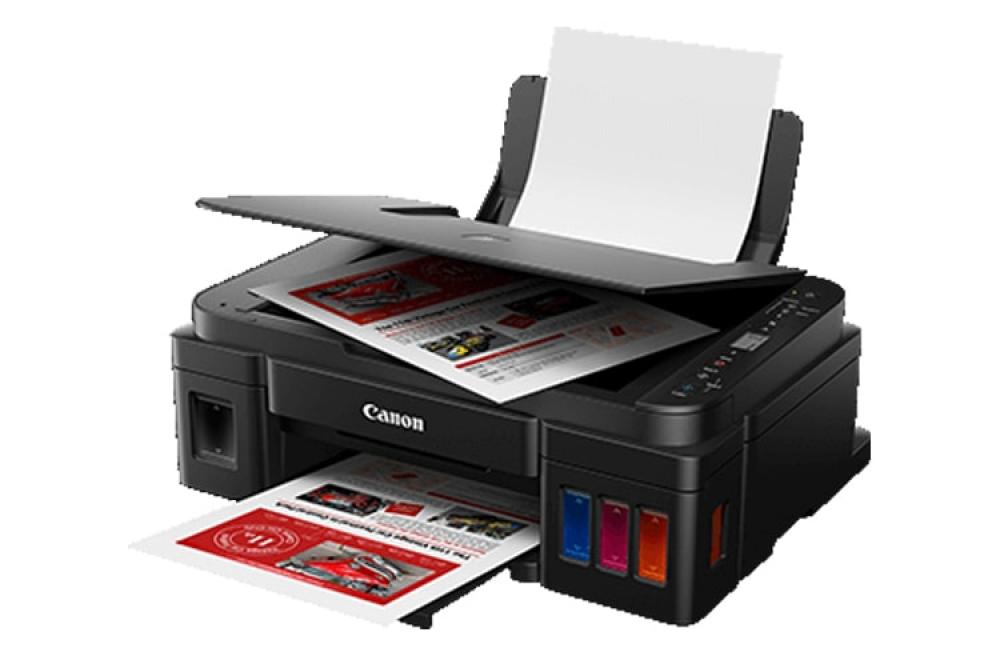
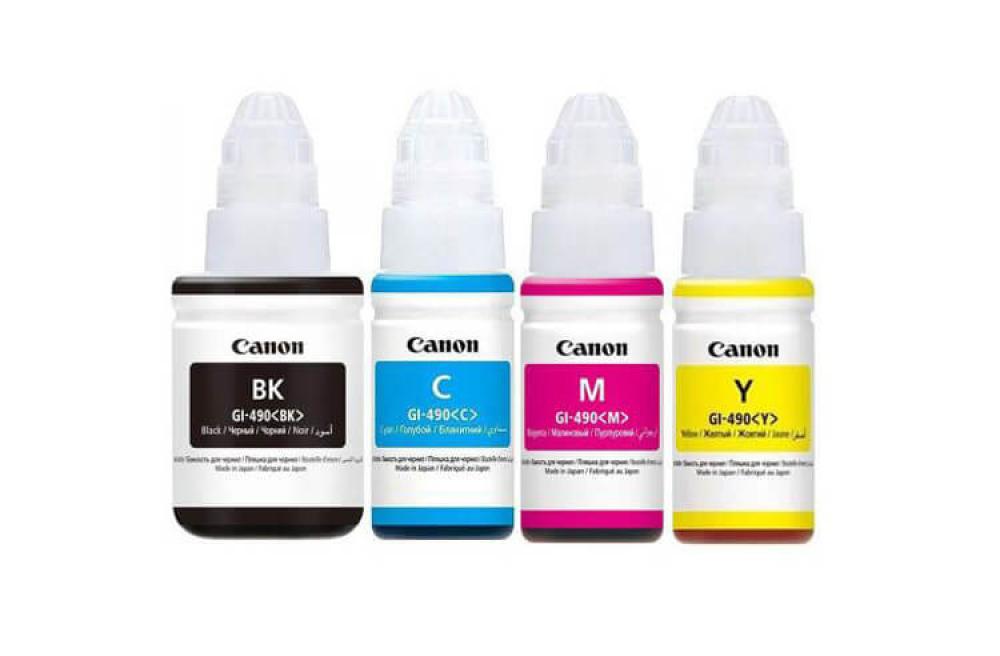
Instead of small cartridges that seem to run out at the worst possible moment, this model uses large refillable ink tanks. You simply refill them using ink bottles designed for clean, spill-free handling.
This delivers two major advantages:
-
extremely low cost per printed page;
-
less frequent refilling.
With regular use, the savings become noticeable within just a few months.
Who Is This Printer Best For?
✔ Home Users
School assignments, study notes, invoices, family photos — it handles everyday printing tasks with ease.
✔ Students
If you regularly print course materials or academic papers, this is a far more economical option compared to laser printers with costly toner cartridges.
✔ Small Offices
Contracts, invoices, and color presentations — it performs reliably under moderate workloads.
Print Quality: Should You Expect “Wow”?
Text documents appear sharp and clear, with deep black tones and crisp fonts.
Photo printing delivers vibrant and pleasing results, especially on photo paper. It is more than sufficient for home albums. However, professional photographers may prefer specialized photo printers for studio-level output.
Printing Speed
This is not an ultra-fast office production printer.
It prints documents steadily and reliably, but it is not designed for high-volume batch printing within minutes.
For daily home or small business use, the speed is perfectly adequate.
Ease of Use
A major benefit is built-in Wi-Fi connectivity.
You can print directly from your smartphone without connecting cables. This is especially convenient when quickly printing photos or PDF documents.
The ink refill system is well designed — spills and mistakes are unlikely. Even first-time users can manage the setup with confidence.
Most Common Questions Before Buying
Does the ink dry out?
Like any inkjet printer, it performs best with regular use. Printing a few pages per week helps maintain optimal condition.
Is maintenance expensive?
On the contrary — this model is designed for affordability. The cost per page is significantly lower than most cartridge-based printers.
Is setup complicated?
No. Installation is intuitive and user-friendly. Home users typically experience no difficulties.
Is it suitable for large offices?
For heavy daily production printing, higher-capacity models are recommended. However, for small businesses, it performs very well.
Advantages
-
Very low printing cost
-
High-capacity refillable ink tanks
-
Print, scan, and copy in one device
-
Wi-Fi connectivity
-
High-quality text and photo output
Potential Drawbacks
-
Not the fastest printer in its class
-
Requires occasional use to prevent ink drying
FAQ — Answers to the Most Important Questions
Is this printer cost-effective in the long run?
Yes. The primary savings come from ink consumption. With regular printing, the cost per page remains significantly lower than cartridge-based alternatives.
How many pages can be printed on one refill?
The yield is high — several thousand pages depending on content type. For home users, this typically lasts a long time.
Does the ink dry out?
Like all inkjet printers, it benefits from regular use. Printing a few pages weekly prevents issues.
Can it print borderless photos?
Yes, it supports borderless photo printing, ideal for images and personal projects.
Is Wi-Fi setup difficult?
The process is simple and takes only minutes. Once connected, you can print wirelessly from laptops or mobile devices.
Is it suitable for business use?
For small offices, yes. For heavy daily workloads, consider higher-performance models.
Are original inks expensive?
Original inks are reasonably priced, and given the high yield, overall printing costs remain very low.
Can third-party inks be used?
Technically yes, but it may affect print quality and printhead lifespan. For optimal performance, manufacturer-recommended inks are advised.
Is the printer noisy?
Noise levels are typical for inkjet printers and are suitable for both home and office environments.
Conclusion
Canon PIXMA G3410 is a practical choice for users seeking affordable high-volume printing without ongoing cartridge expenses. It is not intended as a professional photo studio device or a high-speed production printer. Its main strengths are cost efficiency, versatility, and ease of use.
If you need a reliable, budget-friendly printer for home or small business use, this model fully justifies its popularity.